PROBLEM
Biologists annotate strings of DNA sequences to demarcate what and where different genes are involved in their experiments. Benchling provides software that allows users to digitally capture annotations, but the captured annotations were difficult to manipulate, edit, and lacked visual continuity with other parts of the product.
SOLUTION
Redesigned full screen view allows users to view, edit, and manage their DNA sequence annotations.
ROLE
UX Designer, Spring 2022
Worked directly with the project manager and engineering team to define, develop, and deliver a decision based on existing problem discovery.

Background
Scientists work with strings of DNA made up of individual letters, or bases, that "spell out" the instructions telling a cell what to do. A sequence typically looks like this:
…and it goes on for hundreds or thousands of bases. While cells can comprehend these instructions, humans need additional notes to understand which sequence sections contain information for which genes, and what each gene does. Scientists use annotations to store that information, and are constantly updating them with new metadata gathered through experiments and literature review.
It's similar to an electrical wiring diagram for a house — it's difficult to walk in and know exactly how to install a cooktop without the diagram. In the same way, it's important for scientists to have annotations — their wiring diagram — accessible to plan experiments and understand unexpected outcomes.
I came onto this project after the discovery phase had already been completed. These were the following areas I focused on for this redesign.
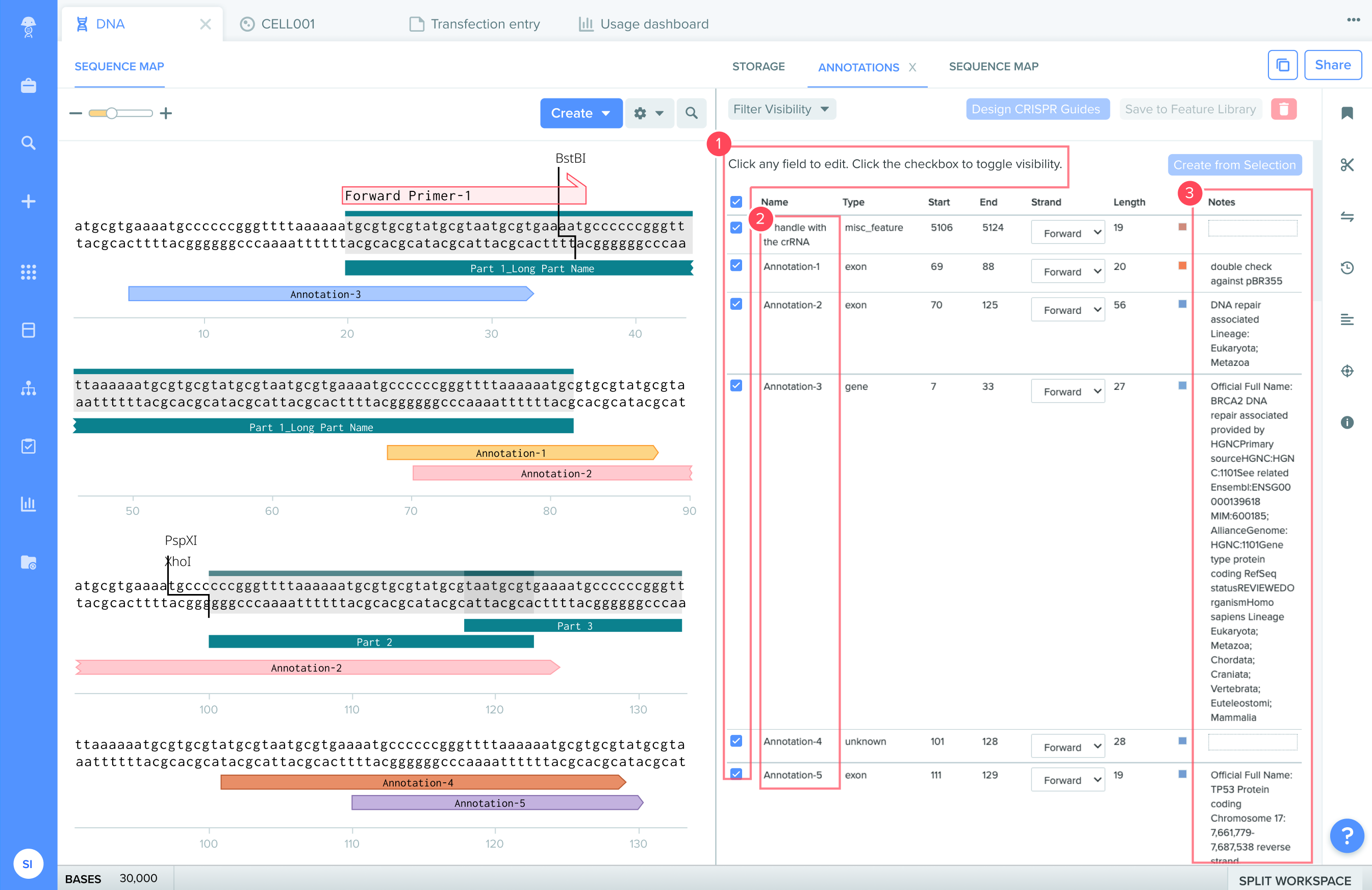
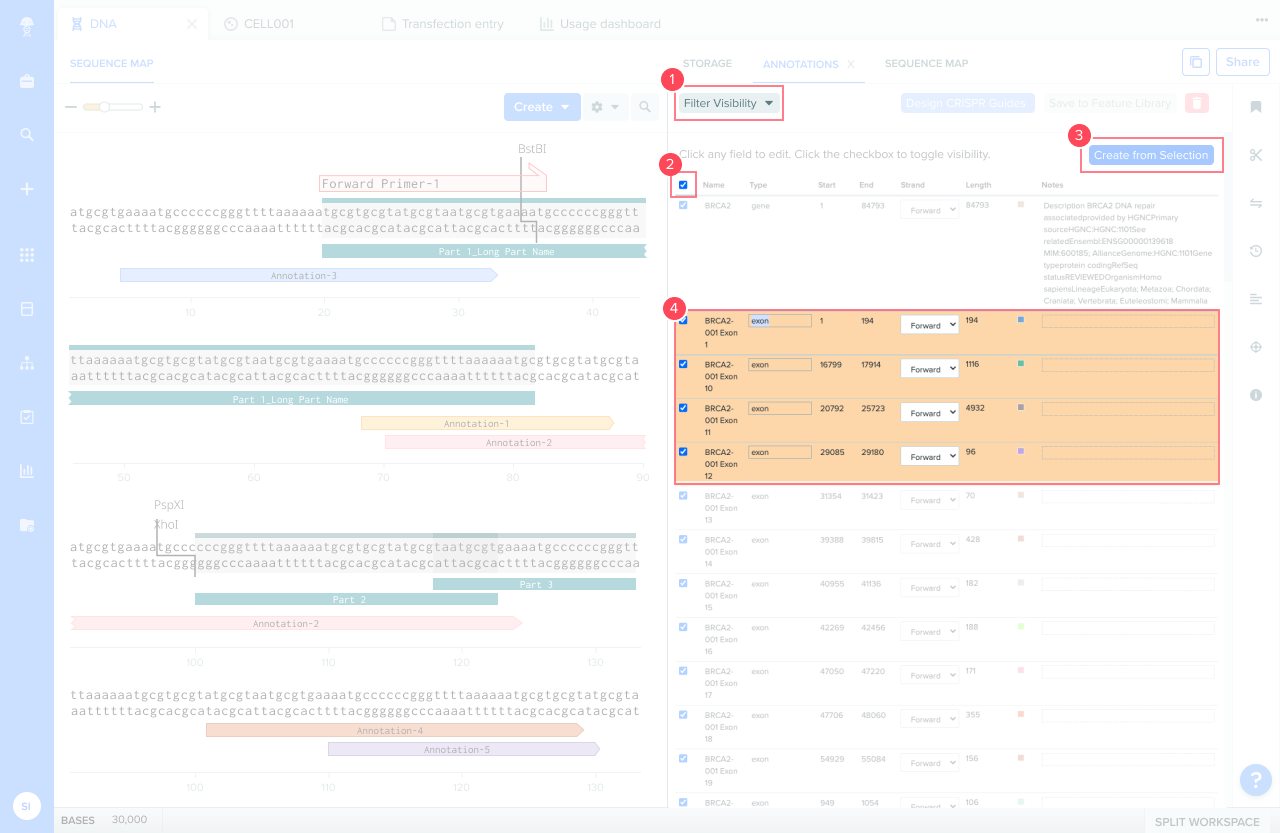
Annotated areas of interest in the Benchling annotations view: 1) checkboxes for bulk selection, 2) annotation name column, 3) notes column.
Reimagining Annotations as a Database
While there were several factors driving this redesign, the primary reason was that users experienced frustration when adding and extracting metadata from annotations. Scientists often used annotations with the assumption that a "standard" set of information would be available and manipulatable. The existing presentation of the "standard" information in Benchling was in an unstructured Notes field, forcing users to recall what information is available, preventing field-specific filtering, and causing exported data to be difficult to integrate with common industry platforms.
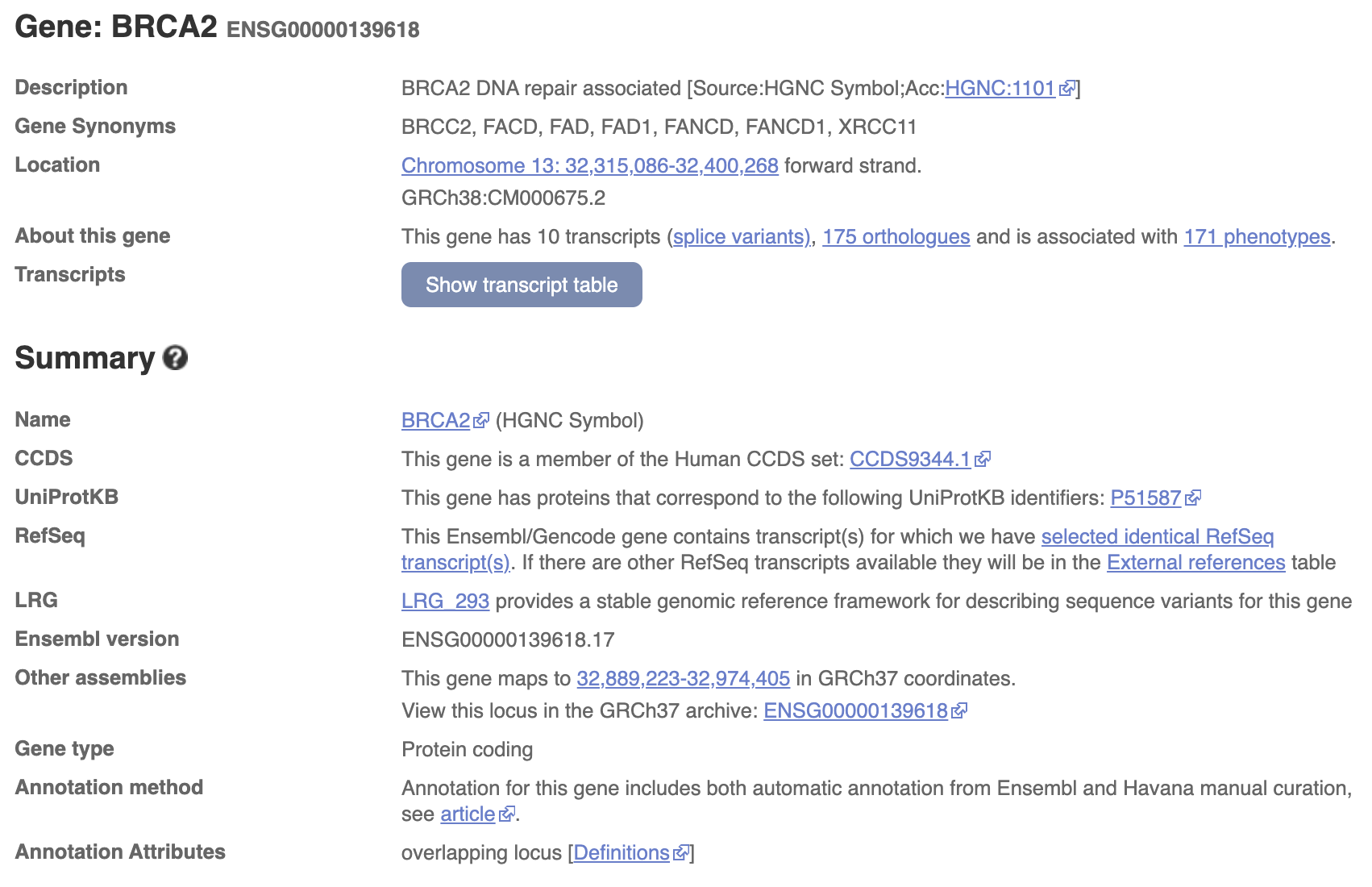
Metadata fields on ENSMBL, widely considered the provider for a "standard" set of annotation metadata.
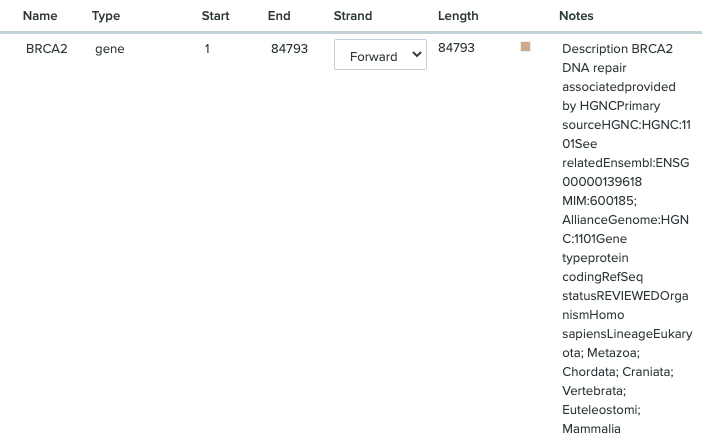
A single annotation and its associated metadata on Benchling — all stored in an unstructured Notes field.
While there were a number of ways to tackle lossy metadata organization for annotations, reimagining the collection of annotations as a database, with customizable fields made of key-value pairs, was the method that maximized user control over input, manipulation, and extraction of metadata. Annotations-as-a-database laid the groundwork for how I thought about functionality and presentation of annotations throughout the redesign.
Design Exploration
Once we decided to treat annotations as a database, I considered different ways to surface annotations and associated metadata to users. Users could already see annotations labeled directly on the DNA sequence. They had to open the expanded annotations panel to see the metadata attached to an annotation.
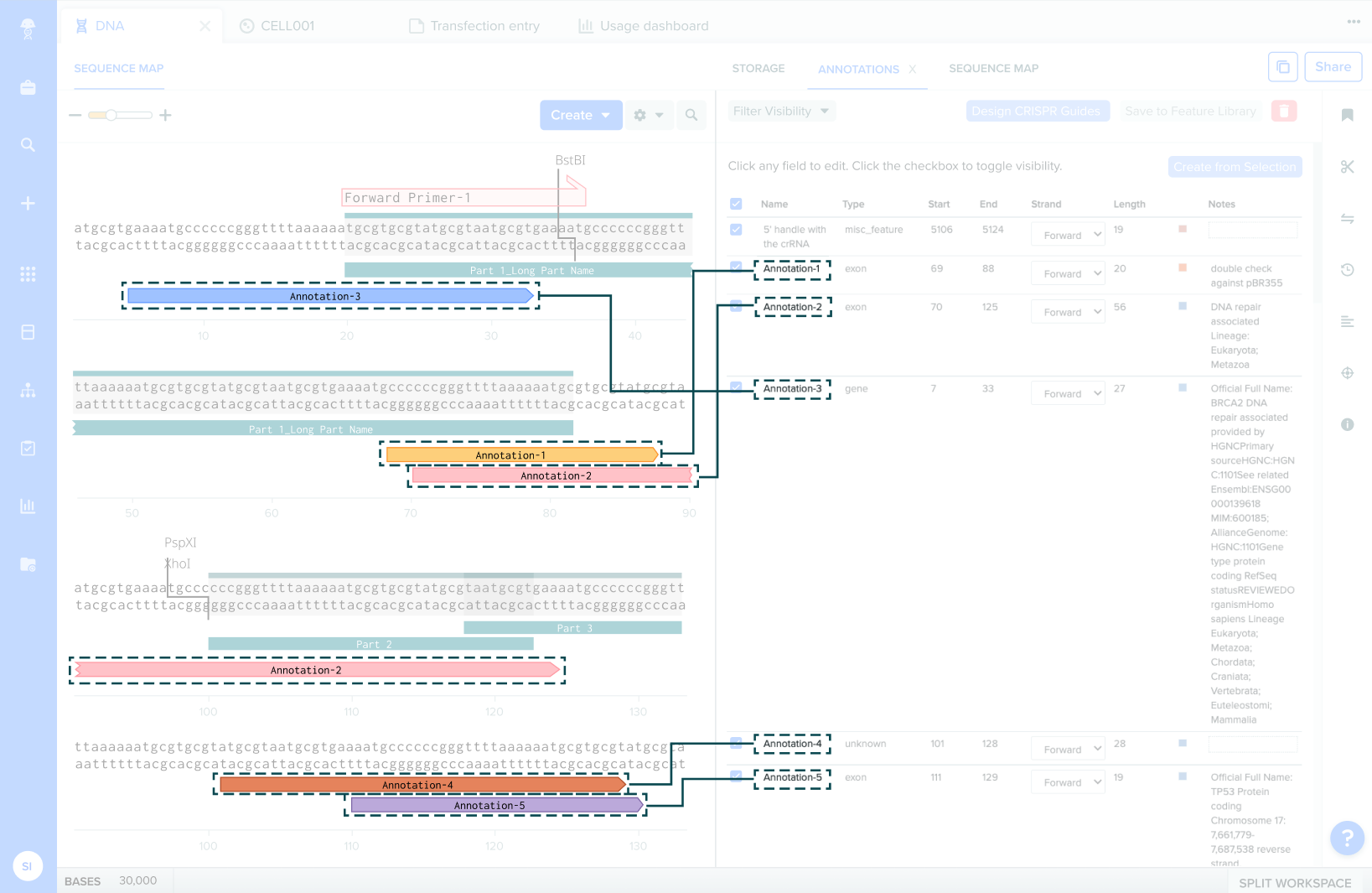
Annotation labels on the DNA sequence (left side of split workspace) paired with the expanded annotations view with Notes field (right side).
Some options, such as using cards for each annotation, were initially attractive because they were more visually clean. However, based on stakeholder interviews, I discovered that the top two reasons users arrived at the annotations view was 1) to make bulk edits to several annotations at once, and 2) to compare metadata between two or more annotations.
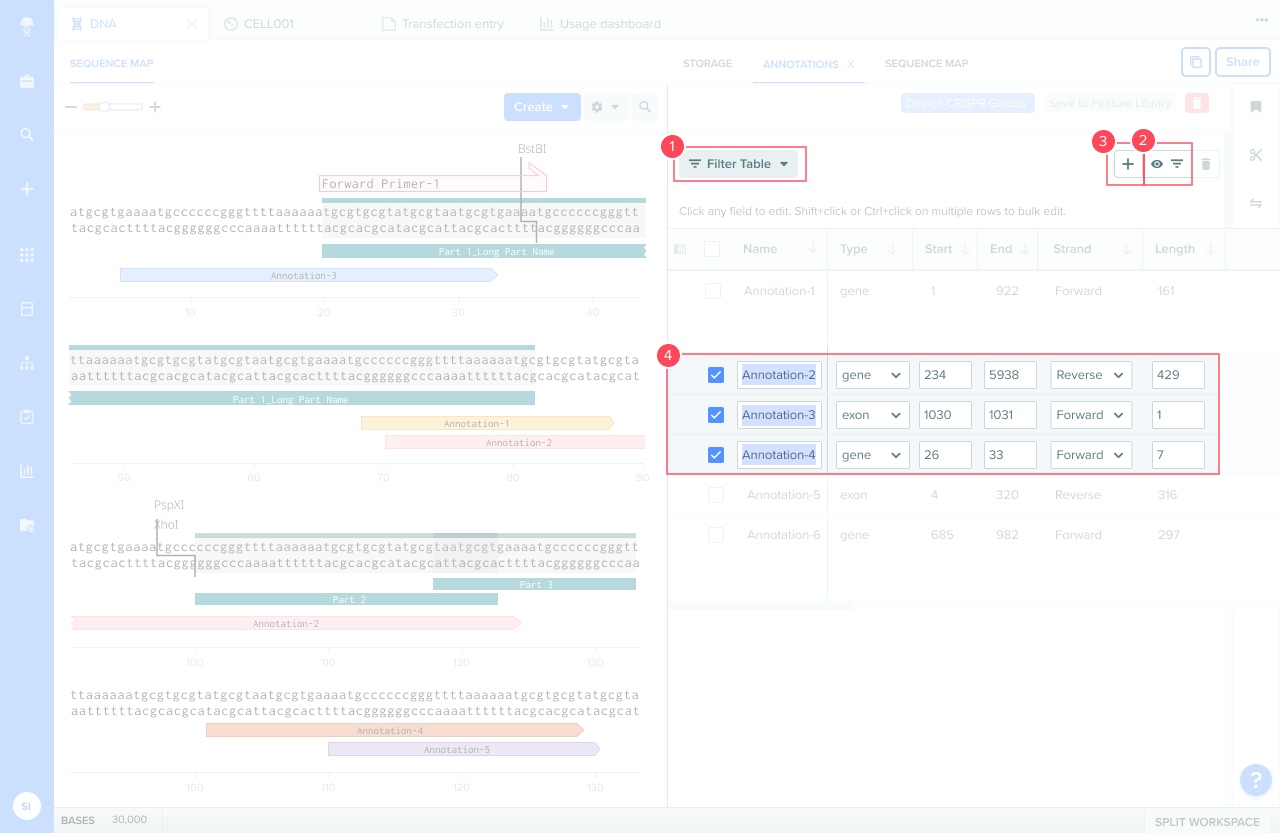
Recognizing that bulk actions were the workhorse of this view, I decided to use a toolbar as a space for users to initiate bulk actions. This brought bulk functionality to the forefront of the view and made many hidden functions much more discoverable.
Before: 1) Bulk filtering, 2) bulk visibility, 3) annotation creation, and 4) bulk edit scattered across four different areas.
After: 1) Bulk filtering, 2) bulk visibility, and 3) annotation creation condensed into a single toolbar. 4) Bulk edit visually communicated with text highlighting.
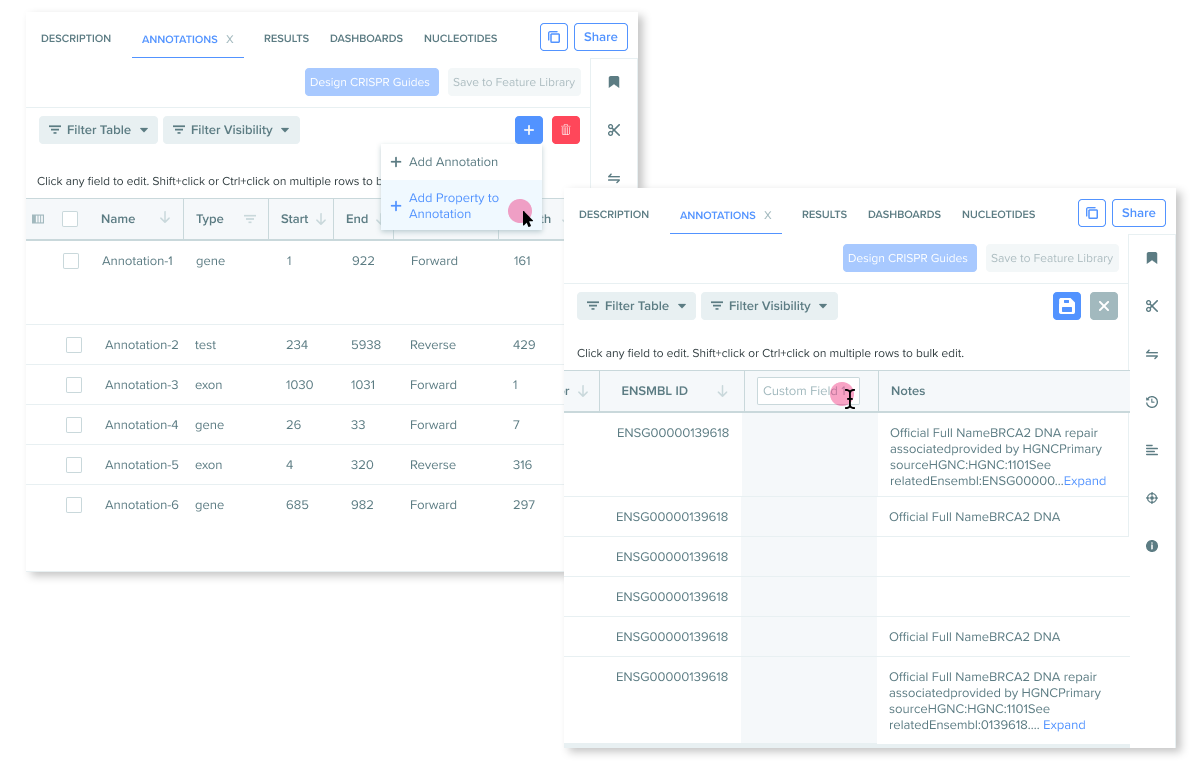
Creating custom fields was a new functionality not previously available for annotations. My hypothesis was that creating a flow with high familiarity would be easiest for users to discover and learn — so I considered borrowing from existing patterns seen in many table-based softwares and using a new column that could be edited in place.
A two-step flow for adding custom fields that allows users to edit in place. While a common pattern, additional research uncovered use cases this pattern could not support. On to more iteration!
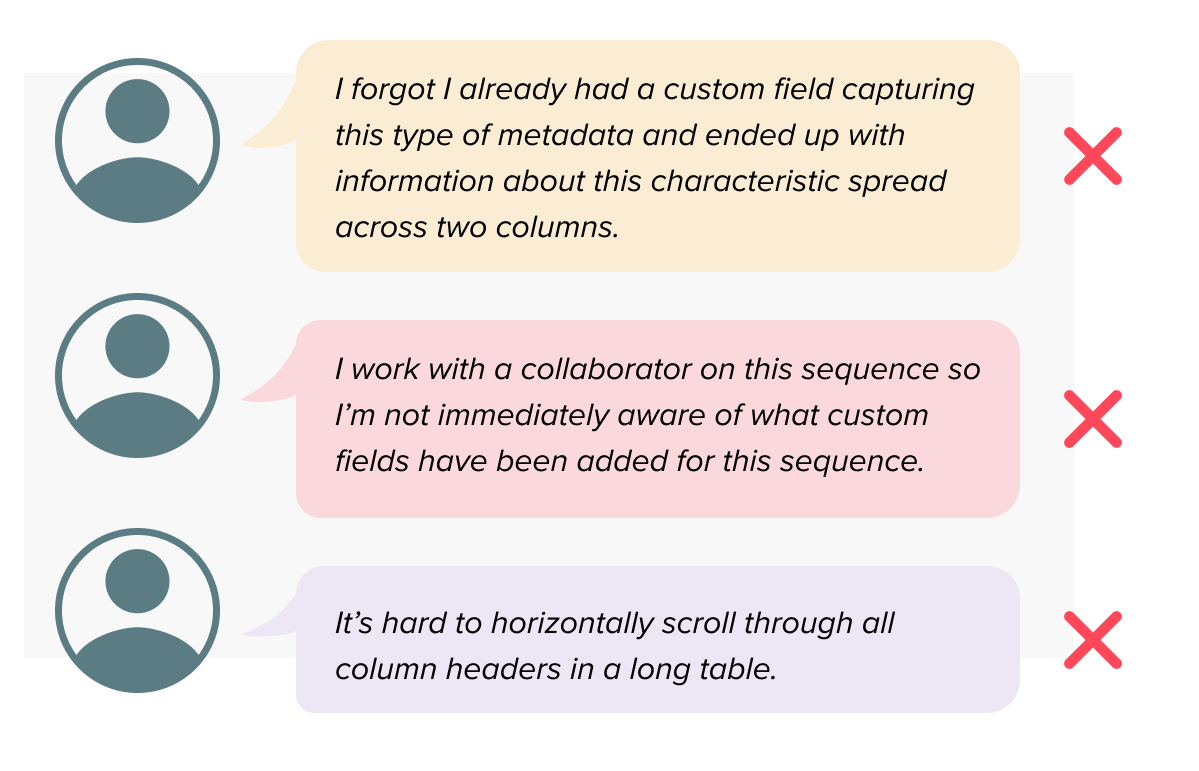
However, there were several scenarios where a user might want to add metadata to an annotation but not necessarily have all the information available to fill out an edit-in-place column. Feedback from user research surfaced recurring pain points:
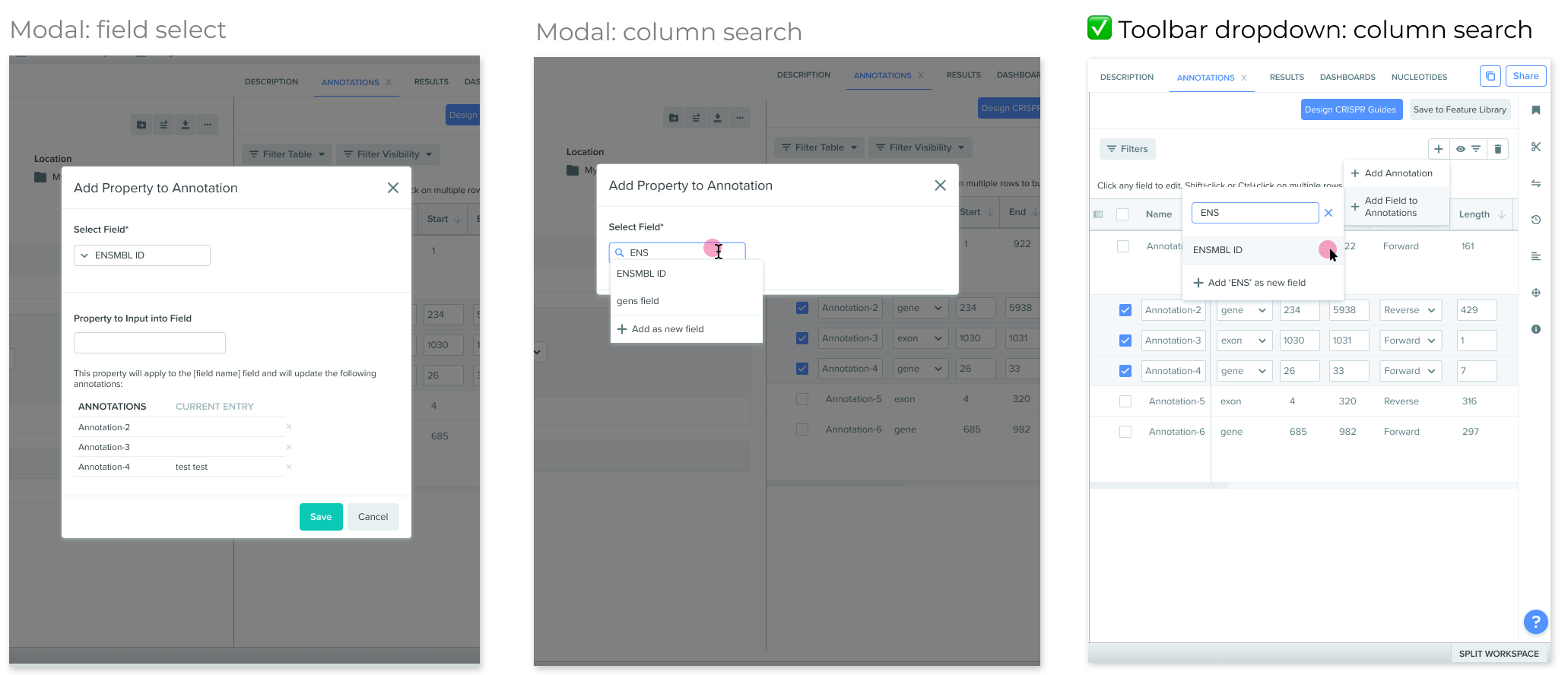
The trade-off of data quality for ease of custom field creation was not favorable, especially when a key use of capturing this metadata is clean data exports for downstream use in the R&D workflow. I iterated through a few other possibilities and eventually landed on one with an automated search for existing columns with the same column name. This safeguarded against data quality loss and removed reliance on recall.
Three iterations for adding custom fields: a modal with a dropdown, a modal with autofill search, and a toolbar dropdown with autofill search and the option to add a new field.
Reflections
One of the biggest challenges of this project was that it occurred on a very short timeline. This required making some trade-offs — for example, working with existing discovery material and iterating with project managers rather than customers directly. This project sits in the "Define" and "Deliver" stages of the design process. While I'm confident that the design decisions I made address the needs and constraints presented to me, I'm aware that they all come from a place that's a step abstracted from the user and require more testing to deliver on a final solution. Ultimately, I appreciate that my work is just one step in what is a much longer process.
Overall, this project gave me real insight into how easy it is for product functionality — especially older, more obscure, highly specific functionality — to easily become unsynced from product design systems. Though much of what I described above were interesting design problems to work through, some of these problems may never have arisen if the annotations function had been regularly updated as Benchling's design system and language evolved.